Updated: | Originally published: | By Susanna Fagerholm
File Transfer Protocol (FTP) is one of the oldest and most widely adopted methods for moving files between systems. Many organizations rely on FTP servers for exchanging data in bulk or on a schedule.
Cyclr’s FTP and SFTP Private Key connectors make it possible to work with files that are generated and stored on remote servers, providing a way to retrieve files, and move their contents into other systems automatically.

Understanding FTP
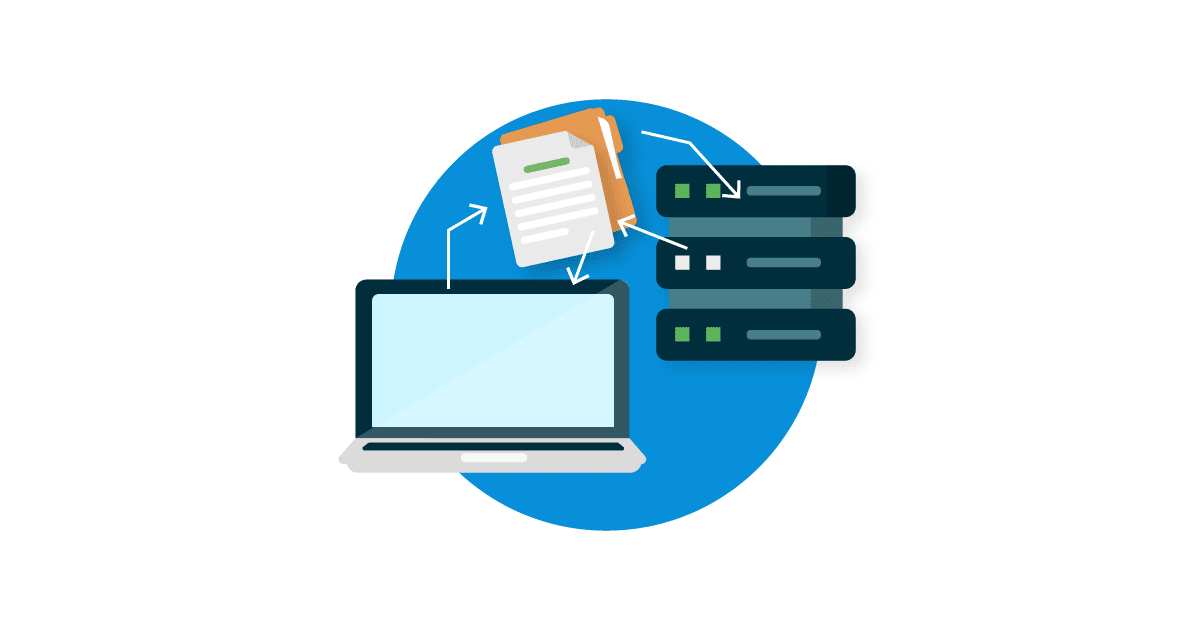
An FTP server is a dedicated system for storing and exchanging files between different parties or applications. Instead of sending files directly between two systems, the server provides a neutral space where data can be uploaded, stored, and later retrieved. It is especially useful when multiple systems or organizations need access to the same datasets.
File Transfer Protocol has been around since the 1970s and became a backbone of digital file exchange. FTP servers remain deeply embedded in business processes because they are reliable, well-understood, and supported by countless legacy applications.
What people often call “FTP” today actually includes a few different approaches:
- FTP (File Transfer Protocol): the original, unencrypted version.
- FTPS (FTP Secure): FTP enhanced with TLS (Transport Layer Security) encryption for greater security.
- SFTP (SSH File Transfer Protocol): a separate protocol based on SSH (Secure Shell Protocol), encrypting everything by default.
Cyclr’s FTP connectors are equipped to work with all of these different protocols.
What FTP Connectors Do
Cyclr provides two connectors designed for file transfer use cases: FTP and SFTP Private Key. Both allow users to automatically retrieve files, detect when new or updated files are available, and transform their contents into data that can be used by other applications. They provide the methods needed to list files, download them, and work with structured formats like CSV and XML.
Typical use cases include:
- Retrieving new or updated files from the user’s own FTP server.
- Reading CSV or XML file formats and turning them into usable fields.
- Moving the extracted data into other applications such as CRMs, marketing platforms, or databases.
They can help businesses maintain older systems that still generate flat files. Or, if FTP is being used as a central drop point, for exchanging information between different parts of the organization.
The connectors bridge these established methods of file delivery with modern SaaS tools, removing the need to manually move or reformat files.

FTP vs SFTP Private Key
Cyclr’s two FTP connectors serve different needs. The FTP connector can connect to FTP, FTPS, and SFTP servers using username/password credentials, while the SFTP Private Key connector is designed only for SFTP servers that require authentication with a private key.
They differ in how they connect and authenticate:
- FTP Connector (FTP/FTPS/SFTP with username & password):
- Supports plain FTP, FTPS (explicit or implicit TLS), and SFTP servers that allow username/password authentication.
- Useful if the system provides only basic login credentials (username and password).
- Offers flexibility because it can connect to multiple protocol types.
- SFTP Private Key Connector:
- Designed specifically for SFTP servers that require authentication via SSH private/public key pairs.
- Often used in environments where stronger security is mandated, such as enterprise IT or regulated industries.
- Useful if the server administrator provides an SSH key (and optional passphrase) instead of a password.
Therefore the authentication method that the server requires determines which connector users should opt for. If the server allows connections with a username and password, the FTP connector is the right choice. If the server administrator has issued a private key for authentication, then they’ll need the SFTP Private Key connector instead.
Connector Selection Matrix: FTP vs SFTP Private Key
Use this matrix to determine which connector to use based on the server’s setup:
| Requirement | Use FTP Connector | Use SFTP Private Key Connector |
|---|---|---|
| Server type | FTP, FTPS, or SFTP | SFTP (SSH key authentication) |
| Authentication | Username & password | SSH private key (with optional passphrase) |
| Encryption | Optional (None, Explicit, or Implicit TLS) | Always encrypted via SSH |
| Common use case | Systems with traditional FTP/FTPS access | Servers requiring key-based security policies |
Defining File Structures
Since the FTP connectors are designed for several different use cases, the file structures that Cyclr should expect to receive need to be mapped before the data inside the files can be retrieved and put to use. For CSV files, this means specifying the columns; for XML files, identifying the relevant nodes. This ensures that fields are available to map in integration workflows.
The usual approach for this is to map the necessary fields directly to the methods the connector will work with. However, this would also require the user to install another instance of the FTP connector for every different file structure.
Luckily, Cyclr provides the option to copy the Delimited Text Files (for CSV) or XML Files (for XML) method categories into Custom Object Method Categories. This can be done in just a couple of steps:
- Duplicate the Delimited Text Files (for CSV) or XML Files (for XML) method category from the Copy button available next to the method category.
- Rename the custom method category to reflect the file type it will be configured to work with, for example “Invoice CSV Files” or “Shipment XML Files.” This is good practice to maintain across all custom method categories to avoid confusion.
- Use the Generate Fields option to map the data fields by providing a representative sample of the file. For CSV, this might be the header row plus one line of data; for XML, a small sample structure works best.
Cyclr will automatically create fields to match the example, complete with the data type it can detect.
Use Case Example: Processing CSV Files from FTP
In this example we built a cycle that automatically processes daily CSV files placed on an FTP server. Each file has a clear structure with columns for first name, last name, title, and email, and our goal was to turn those rows into contacts in Salesforce.

The result is a Cycle that:
- Automatically detects new files
- Filters out the irrelevant ones
- Downloads and parses the contents from the files
- Delivers the data straight into Salesforce without manual effort.
The same structure can be adapted for other systems, such as importing sales data into a reporting database or feeding shipment records into an ERP. The pattern remains the same, with adjustments for file types, naming conventions, and the target system.
Looking for more integration inspiration? Visit our YouTube channel!
Best Practices
- Always set the server time zone to ensure accurate identification of new files.
- Create Custom Method Categories for different file structures.
- Keep Custom Method Categories clearly named to represent each file structure.
- Validate file contents before passing data downstream, using Decision steps or filters.
- Use the connector Settings page to test connections and file listings before building cycles.
Conclusion
The FTP and SFTP Private Key connectors in Cyclr are built to help businesses manage file transfers from different types of servers. The FTP connector supports FTP, FTPS, and SFTP connections using basic login credentials, while the SFTP Private Key connector is intended for situations where key-based authentication is required.
Together, these connectors address a common challenge: moving structured files like CSVs and XMLs into modern applications without manual handling. They provide a practical way to automate the retrieval of files, interpreting their structure, and making the data available for mapping into other applications. By using the right connector, SaaS teams can keep data flows reliable, reduce manual effort, and ensure that information is available where it is needed.
Ready to Build Smarter Data Workflows?
If you’re looking to streamline deep data ingestion, automate delivery to AI and analytics platforms, and embed powerful integrations directly into your SaaS product, Cyclr has you covered.
👉 Book a demo to see how Cyclr can power your ingestion and delivery pipelines
🏗️ Or start building with our visual workflow designer today
📹 Check out our YouTube channel to see Cyclr in action
Let’s turn your data into action, in real time.


