Updated: | Originally published: | By Hayley Brown
As AI agents become increasingly capable, expectations are shifting. Users no longer want AI to simply answer questions; they want it to take action.
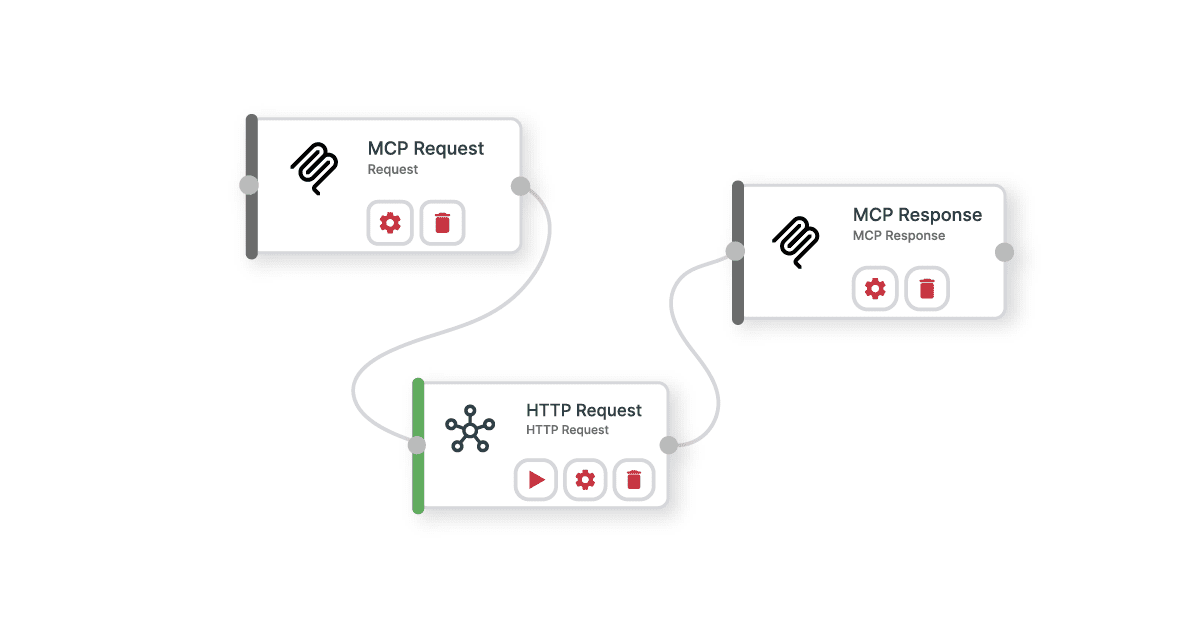
This is where the combination of Model Context Protocol (MCP) and integration workflows becomes particularly powerful.
Traditionally, MCP servers expose tools and actions that an AI can invoke. However, exposing every API endpoint or individual action directly to an LLM can create challenges around complexity, governance, token consumption, and reliability.
By allowing AI agents to trigger workflows through MCP, organizations can provide higher-level business capabilities rather than exposing dozens—or hundreds—of individual operations. The result is a more efficient, controlled, and scalable approach to agent-driven automation.
What Does It Mean to Trigger a Workflow via MCP?
Instead of an AI agent calling multiple tools individually, it can invoke a pre-defined workflow through MCP.
For example, rather than requiring an AI agent to:
- Create a customer record
- Validate the customer’s details
- Create a support ticket
- Generate onboarding tasks
- Send a welcome email
The agent can simply trigger an “Onboard New Customer” workflow.
The workflow engine handles the orchestration while the AI focuses on understanding intent and deciding when the workflow should be executed.
This separation between reasoning and execution is becoming an important design pattern for AI systems because it reduces complexity while improving consistency and control. Recent research has shown that moving execution logic into reusable workflows can dramatically reduce the number of tool calls and tokens required for repeated tasks.
Key Use Cases for MCP Workflow Triggering
Customer Onboarding
Customer onboarding often spans multiple systems including CRM platforms, support tools, billing applications, and marketing systems.
Instead of exposing each step individually to an AI agent, a single onboarding workflow can be triggered via MCP, ensuring every action happens consistently and in the correct order.
Lead Qualification and Routing
An AI sales assistant may identify a qualified lead during a conversation.
Rather than executing several separate actions, the agent can trigger a workflow that:
- Creates the lead
- Scores it
- Routes it to the correct sales team
- Schedules follow-up activities
This provides a cleaner interface for the AI while reducing the likelihood of errors.
Employee Provisioning
When a manager requests access for a new employee, an AI agent can trigger a workflow that provisions accounts across multiple business systems.
The workflow handles the operational complexity while the AI simply determines the intent and initiates the process.

Incident Management
Support agents can trigger workflows that gather diagnostics, create tickets, notify teams, and escalate issues based on predefined business rules.
This reduces the number of decisions an LLM must make while ensuring operational procedures are followed consistently.
Industry-Specific Processes
Many organizations have proprietary business processes that involve multiple systems and approval stages.
Triggering workflows via MCP allows those processes to become AI-accessible without exposing every underlying action directly to the model.
Data Minimisation: Giving AI Only What It Needs
One of the most important architectural principles for MCP implementations is data minimisation.
A common mistake is exposing large numbers of tools, extensive schemas, and broad data access through a single MCP server. While this may seem flexible, it creates larger context windows, higher token consumption, and greater governance challenges.
Cyclr’s MCP Server Design and Token Efficiency research found that reducing tool surface area and exposing only relevant capabilities significantly reduced token consumption while maintaining the same level of task accuracy. In some test scenarios, thin MCP server designs used up to 75% fewer tokens than thicker implementations.

Workflow triggering naturally supports data minimisation because:
- The AI sees fewer available actions
- Less schema information needs to be included in prompts
- Fewer intermediate data objects are passed back and forth
- Sensitive operational details remain inside the workflow layer
Instead of exposing dozens of individual actions, organizations can expose a smaller set of business-oriented workflows that encapsulate the underlying complexity.
Governance and Control Become Easier
As soon as AI agents begin executing actions, governance becomes a critical concern.
Organizations need visibility into:
- What actions were performed
- Who initiated them
- What data was accessed
- Whether actions complied with company policies
Workflow triggering creates a natural governance boundary.

Rather than granting agents direct access to every operation, workflows become controlled execution paths that can enforce:
- Access permissions
- Validation rules
- Approval requirements
- Audit logging
- Tenant-specific controls
This approach aligns with the broader shift toward managed MCP architectures that emphasize security, auditability, and operational oversight.
In practice, governance becomes significantly simpler when organizations manage a set of approved workflows instead of hundreds of individual AI-callable actions.
Token Efficiency and Cost Reduction
Token consumption is becoming one of the most important operational metrics for AI-powered applications.
Every tool description, schema definition, API response, and context payload contributes to token usage.
The Cyclr MCP benchmarking report demonstrated that server design has a substantial impact on cost. Identical business tasks produced dramatically different token consumption levels depending on how capabilities were exposed to the model. The research found that connection design could influence token usage by up to four times.
Workflow triggering helps reduce token consumption in several ways.
Fewer Available Tools
A model selecting between 10 workflows requires less context than a model selecting between 100 individual actions.
Reduced Schema Overhead
Instead of loading schemas for every operation, the model only needs the schema for the workflow trigger itself.
Less Context Management
Workflows manage intermediate state internally.
The AI doesn’t need to continually reason about every step or maintain extensive execution context throughout the process.
Reduced Retry Cycles
Well-designed workflows execute predictable business logic consistently.
This reduces situations where the model needs multiple attempts to achieve the desired outcome, saving both tokens and latency.
The result is a system that is often cheaper, faster, and more reliable.

MCP as the Intent Layer, Workflows as the Execution Layer
A useful way to think about MCP-enabled workflows is that MCP becomes the intent layer while workflows become the execution layer.
The AI determines:
- What the user wants
- Whether action should be taken
- Which workflow should be triggered
The workflow determines:
- How the task is executed
- Which systems are involved
- How errors are handled
- How governance policies are enforced
This separation creates a cleaner architecture that scales more effectively as organizations add new systems, processes, and AI-driven capabilities.
Final Thoughts
The future of agent-driven software isn’t about exposing every API operation to an LLM.
It’s about exposing the right business capabilities.
Triggering workflows through MCP gives AI agents access to powerful automation while helping organizations maintain governance, minimize data exposure, and control token consumption.
By combining MCP’s standardised interface with workflow orchestration, organizations can deliver AI experiences that are not only more capable, but also more efficient, secure, and manageable at scale.


