Updated: | Originally published: | By Elizabeth Sheremet
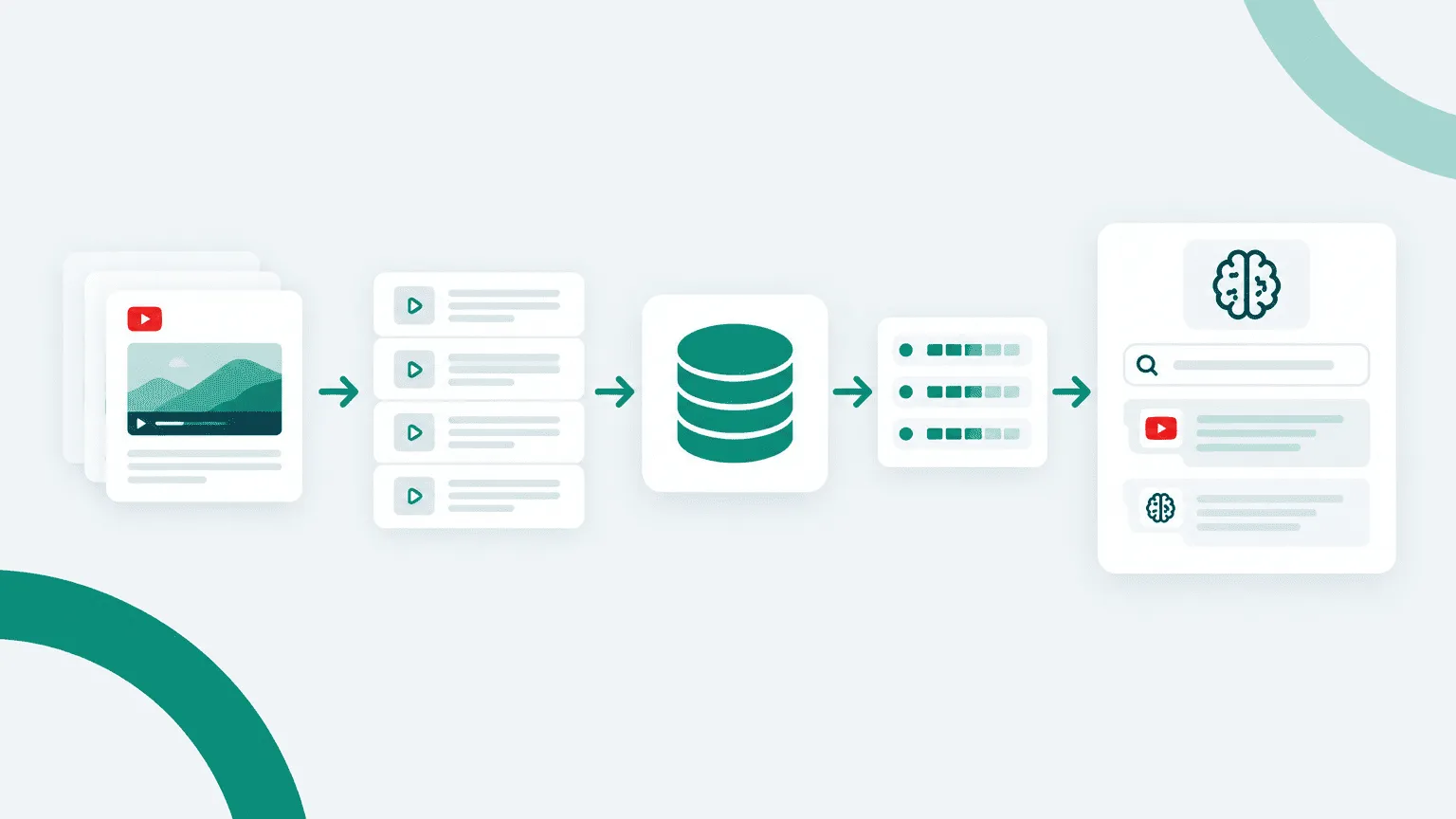
While already having deep experience in creating and managing LLM data processing pipelines, I wanted to see how I could implement a pipeline and data store solution using Cyclr. As well as testing out different chunking methodologies to feed into our Pinecone vector database.
We will then test out our new RAG system within an LLM using a MCP triggered workflow to see if the MCP/LLM combination changes the experience and results of RAG based recommendations.
Preparing video transcripts for search
Before loading transcript content into Pinecone, the transcript needs to be divided into smaller units. This is important because vector search works best when each stored record contains a focused portion of information rather than a long text.
Do do this we will be testing out two different chunking methodologies; time-based and semantic chunking.
Time-based chunking in Cyclr
The first approach uses a fixed time window. Transcript captions are grouped into 30-second chunks, with an overlap of around 5 seconds between chunks.
The overlap is intentional. It reduces the risk of losing context when a sentence, explanation, or procedure crosses a chunk boundary.
This logic was implemented directly in a Step Script within the Cyclr Cycle. The script:
- parses caption timestamps,
- groups caption rows into fixed time windows,
- applies the overlap,
- concatenates the transcript text for each window,
- preserves metadata such as start time, end time, and the corresponding YouTube timestamp.


Advantages
- Simple to implement and debug.
- Runs entirely inside Cyclr.
- No additional infrastructure or third-party libraries are required.
- Predictable chunk size and processing behaviour.
- Easy to reproduce and tune by changing the chunk duration or overlap.
Limitations
- Chunk boundaries are based on time rather than meaning.
- A topic may start near the end of one chunk and continue into the next.
- A chunk may contain parts of two unrelated topics.
- Search quality can be lower when the most relevant information is split across artificial time boundaries.
Semantic chunking with SentenceTransformers
The second approach uses a custom API built with SentenceTransformers.
Instead of splitting the transcript at fixed time intervals, the transcript is divided into smaller text segments and converted into embedding vectors. The API compares the semantic similarity between neighbouring segments.
When adjacent segments have a high degree of vector similarity, they are treated as belonging to the same topic. When similarity drops significantly, this can indicate a natural semantic boundary and a new chunk can be started.
Cyclr calls this custom API as a helper service during the processing workflow.
This means that chunk boundaries are based on changes in meaning rather than on elapsed time.


Advantages
- Chunks are more likely to represent a complete topic or explanation.
- Reduces the chance of splitting related information across arbitrary boundaries.
- Can improve vector retrieval quality because each stored record has stronger semantic coherence.
- Better suited to longer or more complex instructional content.
- Search results are more likely to return a meaningful section rather than a random time slice.
Limitations
- More complex than time-based chunking.
- Requires an additional API or processing service.
- Depends on the selected embedding model and similarity threshold.
- Requires tuning to avoid chunks that are too small or too large.
- Adds operational complexity.
Comparison
| Approach | Boundary logic | Infrastructure | Predictability | Semantic quality | Complexity |
|---|---|---|---|---|---|
| Time-based chunking | Fixed time window | Cyclr only | High | Moderate | Low |
| Semantic chunking | Vector similarity | Cyclr + custom API | Lower | Higher | Higher |
The time-based method provides a simple and reliable baseline, while the SentenceTransformers approach demonstrates how chunk quality can be improved by using semantic similarity rather than fixed intervals.
The useful part is that Cyclr can orchestrate either approach. The chunking logic can remain lightweight and embedded directly in the Cycle, or Cyclr can delegate more advanced processing to a custom service when higher semantic accuracy is required.
Storing the content in Pinecone
Each resulting chunk is then sent to Pinecone.
For an index using Pinecone integrated embeddings, we send the chunk as text and Pinecone converts that text into a vector representation. Alongside the searchable text, we store metadata such as:
- video title
- original YouTube URL
- timestamped YouTube URL
- chunk index
- start time
The vector is what enables semantic search. The metadata gives us the useful information needed after a result has been found.
For example, a search may identify a chunk explaining API key authentication. Pinecone can return not only the relevant text, but also the exact video and the timestamp where that explanation begins.


Searching through MCP
The search capability is exposed through MCP in two ways.
The first is through Connector Tools, where parameters can be provided manually. This is useful for directly testing Pinecone search and controlling values such as the search text, number of returned results, namespaces, or other query parameters.
The second is through Workflow Tools. In this case, the Cycle contains predefined search logic, allowing the MCP client to trigger a complete workflow rather than calling individual connector methods.
This approach is useful because the behaviour of the MCP tool can be controlled inside the Cycle. The Cycle can define which parameters are exposed, apply defaults, validate inputs, add filtering, combine multiple steps, and standardise the format of the final response.
For non-technical users, this can significantly simplify access to more complex backend workflows. Instead of understanding Pinecone query parameters or individual connector methods, they can trigger a well-defined business action such as “search the video knowledge base” and provide only the information that is actually relevant to that task.
It also gives development and integration teams more control over what the MCP client is allowed to do, while keeping the underlying implementation reusable and easier to maintain.


Searching the Video Knowledge Base Using AI Chat
Once the search tools are exposed through MCP, we can interact with them directly through an AI chat interface. We tested two approaches: calling a Connector Tool directly and triggering a Cycle (workflow) through MCP.
Approach 1: Calling a Connector Tool
When calling the Pinecone Connector Tool directly, the AI client needs to provide the complete request body expected by the Pinecone API, including the search query, number of results (top_k), namespace name, and any additional parameters.
The response contains the raw search results, including matching transcript chunks, similarity scores, and associated metadata.
While this provides more control over the search request, the results are returned as individual chunks. Multiple chunks may belong to the same video, making the output less convenient to interpret without additional processing.

Approach 2: Triggering a Cycle through MCP
When calling a Cycle exposed as an MCP tool, the interaction becomes much simpler. Instead of constructing a complete Pinecone API request, users only need to provide a search query and, optionally, the number of top results to retrieve.
The Cycle handles the underlying API request, executes the search, and processes the returned data before passing it back to the AI client.
In our workflow, we added a small Step Script that groups the returned transcript chunks by their source video. This is particularly useful because Pinecone searches individual chunks, meaning the top results can contain multiple matches from the same video.
Grouping the chunks produces a more structured response that the AI agent can interpret more easily, presenting relevant videos together with their matching transcript sections and timestamps.

AI-assisted interpretation of search results
Another advantage of using an AI agent is its ability to evaluate the relevance of retrieved results.
Vector search identifies the nearest matches based on similarity, but a high-ranking result does not necessarily mean that the content answers the user’s question.
For example, if someone searches for a feature or tutorial that does not exist in the video library, Pinecone can still return the closest available chunks, even if none directly addresses the request.
The AI can analyse the retrieved text against the original question, distinguish relevant information from loosely related matches, and explain when the available videos do not contain the requested information.
This adds an interpretation layer on top of vector similarity search, helping users understand not only which videos were retrieved, but also whether those videos actually contain the information they need.

Overall, the MCP-triggered Cycle provides a more controlled and user-friendly experience. It hides API-specific complexity, allows response processing to be managed within Cyclr, and enables AI agents to present the results in a more meaningful format without requiring users to understand the underlying vector database or search implementation.


